
How it works, and what is ready today
Members book on their phones. You run the studio from a back office. We set it up for you and look after it.

What your members see
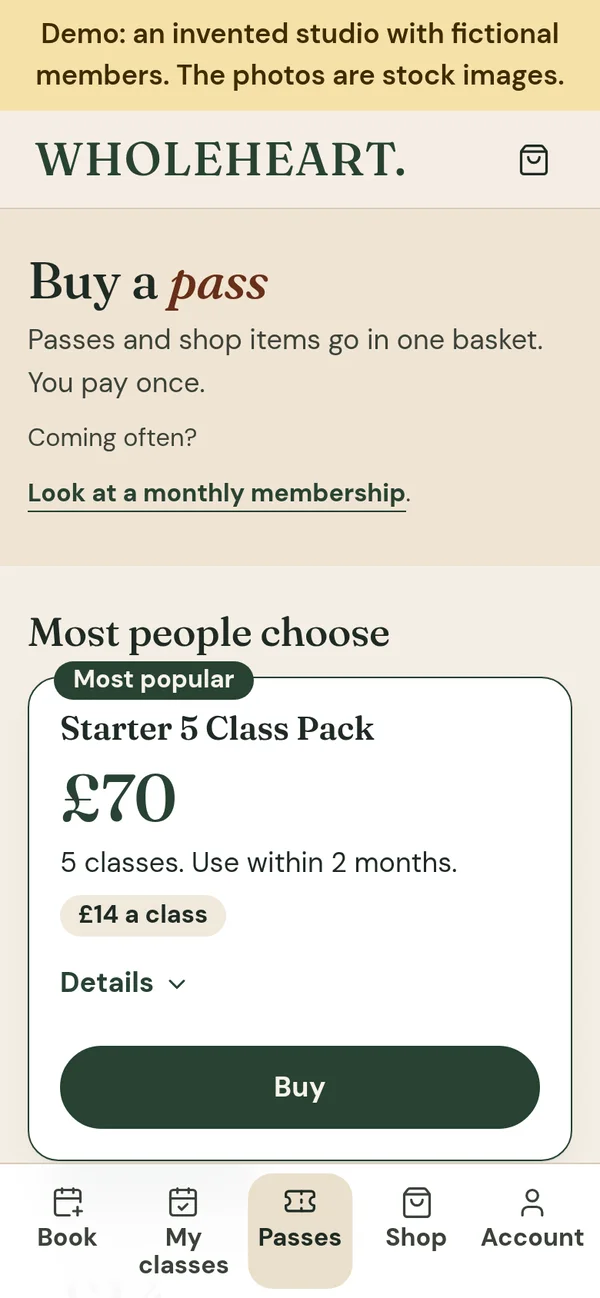
A timetable they can book from
The week's classes, with places left. They book, join the waiting list of a full class, or cancel inside the free-cancellation window you set. The database stops overbooking, and a waiting-list place fills when someone cancels.
Packs, gift cards and memberships
They buy a class pack or a gift card, and join a monthly or yearly membership if you offer one. They see the classes left on a pack and when it expires.
A web app, not an app-store app
Members sign in with a code emailed to them and add the web app to their phone's home screen. There is no listing in the Apple or Google app stores.
Their own data
A member can download a copy of their data, or ask to delete their account. An owner confirms every deletion.
What you and your team see
Different access for different jobs
Owners, managers, front desk and instructors each get their own view. An instructor sees only their own classes.
You change it yourself
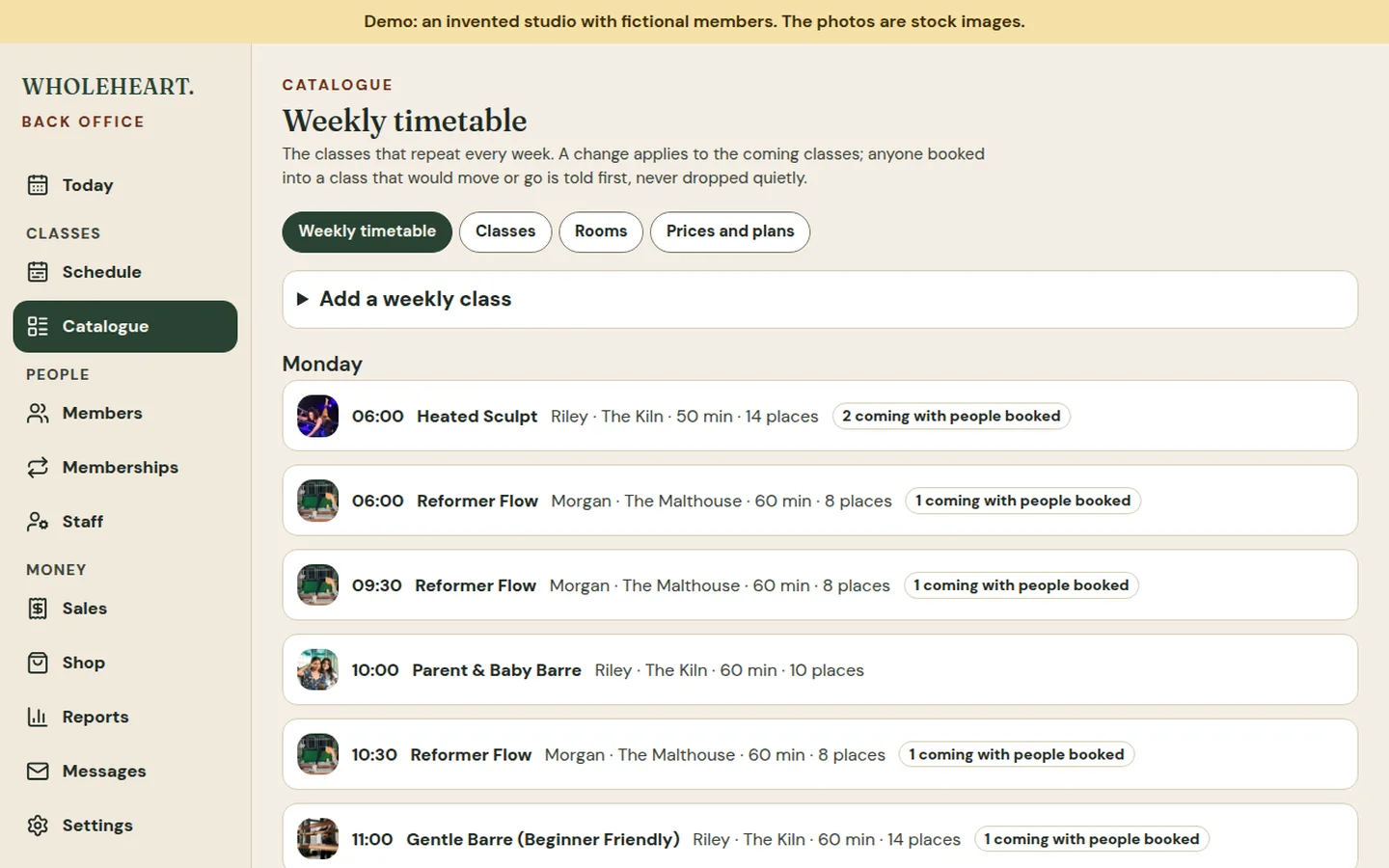
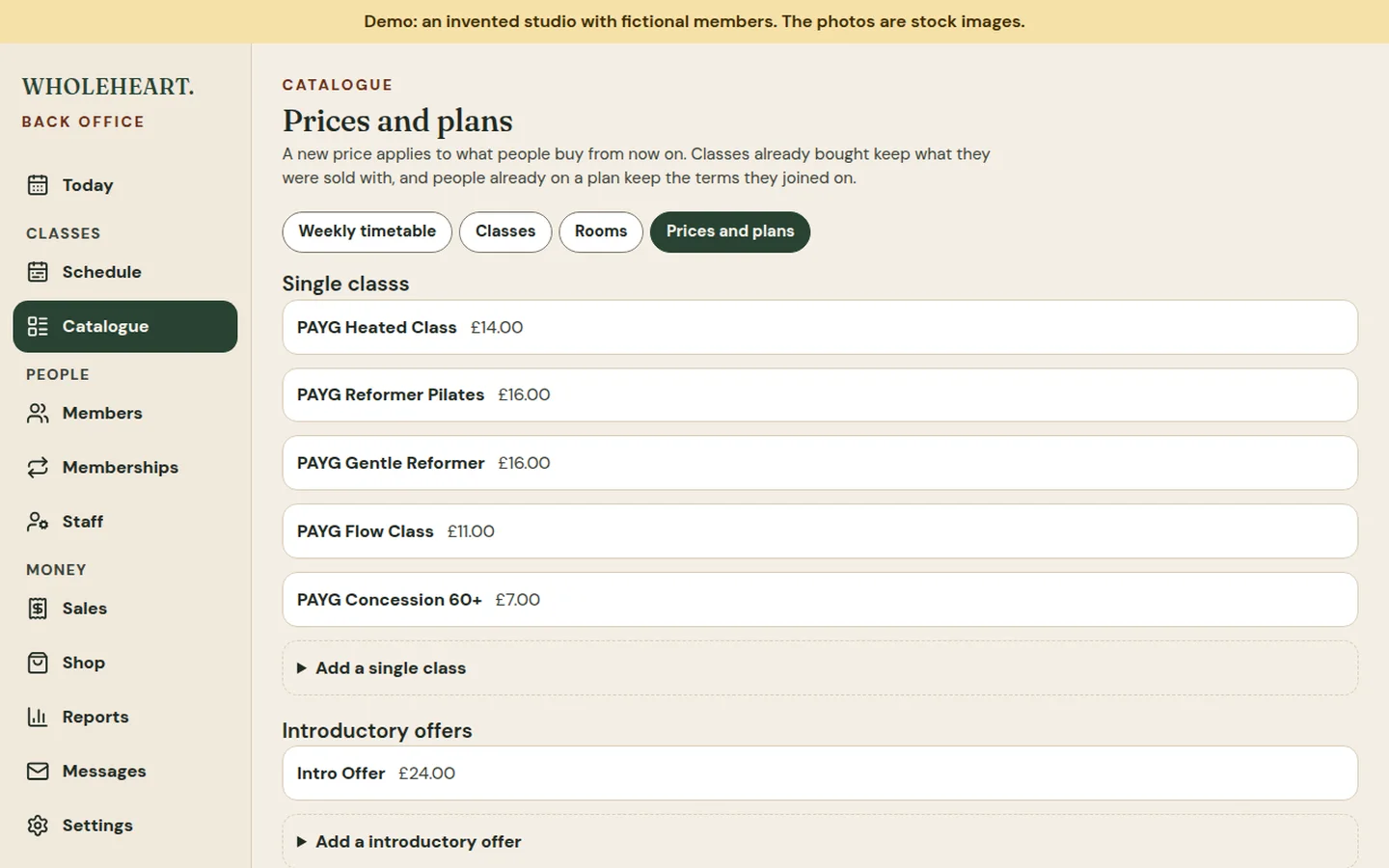
Classes, rooms, the weekly timetable, prices and plans are edited in the back office. If a class has people booked, you choose to cancel it and tell everyone. A change never silently drops a booked person, and a new price applies to what is bought next.
The day and the takings
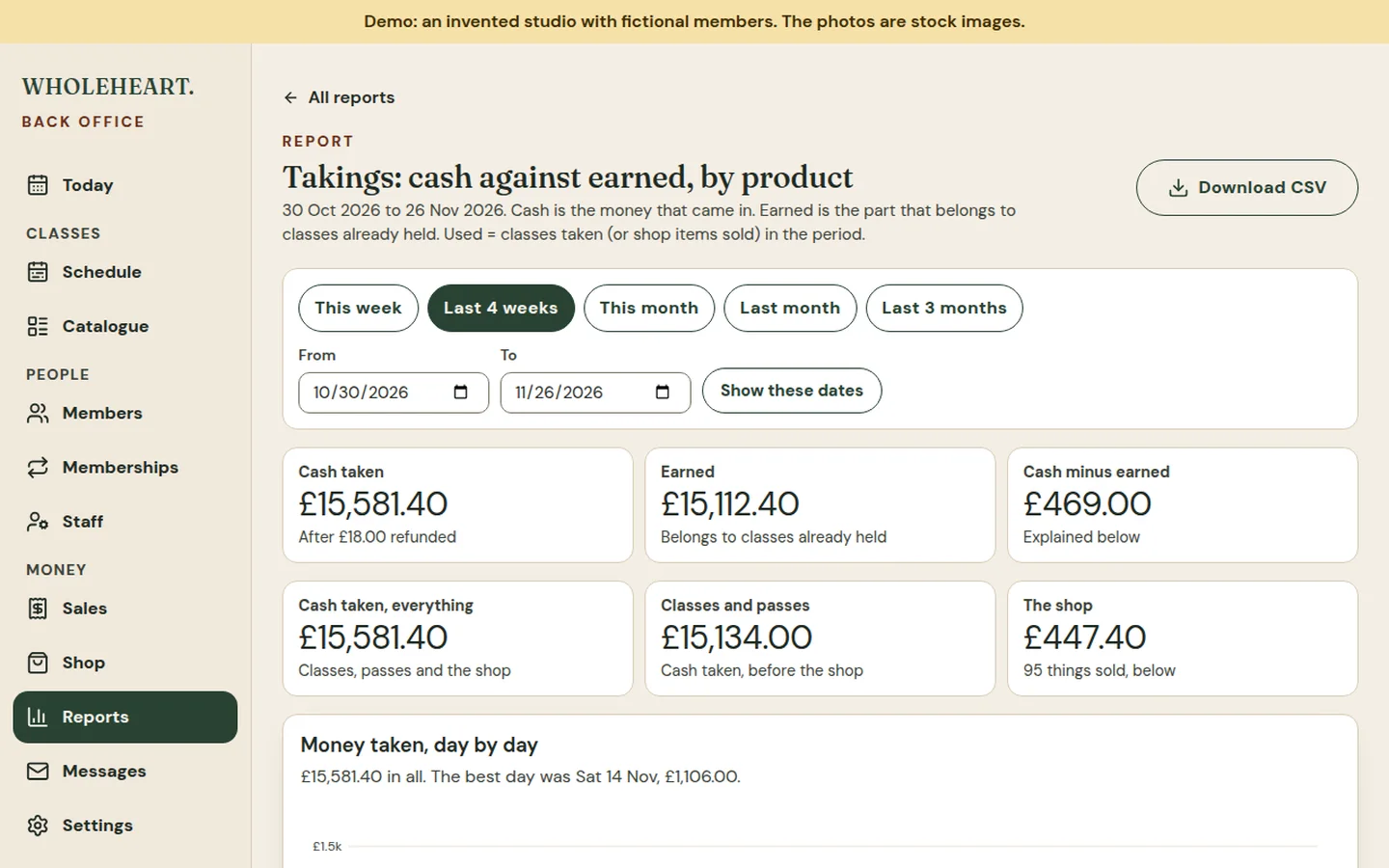
The front desk sees the day's classes and who is booked. Owners see takings and attendance, with downloads you can open in a spreadsheet.
Reminders and confirmations
Email and text. A class reminder goes out 3 hours before, or at 6pm the evening before for classes that start before 10am. We set up the email and text accounts for your studio before go-live.
Watch it working
Short demos recorded from a demo studio with invented members. Captions and a transcript on each, and nothing plays until you press play. The voice is generated with ElevenLabs.
What your members see
Booking, the waiting list and buying a pack on a phone.
Read the transcript
This is what your members see. It is a web app, so they add it to their phone's home screen. There is nothing to download from an app store.
The week's classes, with places left. They pick one and book.
If a class is full, they join the waiting list. When someone cancels, the place fills for the next person.
Class packs and gift cards are bought here too. In this demo the payments are pretend. In real life the money goes to your own Stripe account.
Running the day from the back office
Today, changing the timetable safely, and the reports.
Read the transcript
This is the back office. Today shows the day's classes and who is booked.
Classes, rooms, the weekly timetable, prices and plans are yours to change. A change applies to the coming classes, and anyone already booked into a class that would move or go is told first, never dropped quietly.
Reports show takings and attendance, and download as files for your spreadsheet.
Owners, managers, front desk and instructors each see what their job needs.
Memberships
Plans that bill automatically, how a member joins, and how you manage them.
Read the transcript
Memberships are monthly or yearly plans that bill automatically. Members see the plans in their account and join with one tap.
In this demo the payment is pretend. A member can pause payments, or cancel at the end of the period, themselves.
In the back office you see every membership's status, and you can open a person to pause, cancel or give a free membership.
Memberships are built with some limits, and so far they have only been tested with pretend payments. The ready list on this site says exactly what.
How the money moves
Card payments go through your own Stripe account. We never hold your money.
No real money has moved through the system yet. Payments have been tested in Stripe's test mode only. We switch your studio to real payments at go-live, after a real small payment and refund.
Cash and bank transfer can be recorded at the desk. Direct Debit is not offered.
Your studio website
The system includes a public website for your studio: classes, timetable, instructors and prices. We write and change the wording and photographs for you. You cannot edit them yourself yet.
What is ready, and what is not
This is the state of the system on 27 November 2026. We update it whenever something changes.
If a studio needs something in a "not built" or "not offered" row to run day to day, we will tell you on the demo and will not sign you until it works.
| What | Status | What that means |
|---|---|---|
| Class timetable, booking, waiting lists and cancellation windows | Built and working | The database stops overbooking. A waiting-list place fills when someone cancels. |
| Class packs with expiry dates | Built and working | Members see classes left and the expiry. |
| Owner editing of classes, rooms, the weekly timetable, prices and plans | Built and working | You change them yourself in the back office. A change never silently drops a booked person: if a class has people booked, you choose to cancel it and tell everyone. A new price applies to what is bought next. |
| Members' area that works like an app (a web app) | Built and working | Members add it to their phone's home screen. |
| Staff back office with different access for owners, managers, front desk and instructors | Built and working | Each role sees what its job needs. |
| Reports with downloads | Built and working | Takings and attendance, as files you can open in a spreadsheet. |
| Email and text reminders and confirmations | Built and working | We set up the email and text accounts for your studio before go-live. |
| Gift cards, bought online by card or issued at the desk | Built and working | Tested with pretend payments. See card payments below. |
| Card payments through your own Stripe account | Built, tested in Stripe's test mode only | No real money has moved. We switch your studio to real payments at go-live, after a real small payment and refund. |
| Recurring memberships (monthly or yearly billing that continues automatically) | Built, with limits | So far tested with pretend payments, not yet against Stripe's test mode. We will not switch memberships on for your members until that test passes. Limits: a membership payment is refunded in Stripe, not in the app. A member cannot change plan part-way through a term. There are no free trials, joining fees or introductory prices. A member whose payment fails can update their own card on Stripe's hosted page (not yet tried against real Stripe). A payment event that goes missing is caught within four hours. |
| Online waiver and health questionnaire | Built, off until you choose | The wording is a starter template only. You need your own wording, agreed with your adviser and insurer. Health answers are stored encrypted. |
| Members can download a copy of their data or ask to delete their account | Built and working | An owner confirms every deletion. |
| Your studio website | Built | We write and change the wording and photographs for you. You cannot edit them yourself yet. |
| Moving members from Arketa | Built, not yet proven | The tool has only been tested on made-up data, never on a real Arketa export. We expect to correct some details on the first real one. Details. |
| Moving members from any other system (Mindbody, TeamUp, Momence and others), or from none | Included: our import tool, then by hand | Included in the £495. Our spreadsheet import brings in members and their class balances from one CSV; it has only been tried on invented data. Gift cards, bookings and running memberships from other systems are moved by hand. Before you sign, we tell you what can and cannot come across. |
| VAT on receipts and reports | Not built | If your studio is VAT registered, tell us before you sign. |
| Direct Debit | Not offered | Cards online. Cash and bank transfer can be recorded at the desk. |
| More than one location under one account | Not built | One studio per system. |
| Apps in the Apple and Google app stores | Not offered | Members use the web app on their home screen. |
| A marketplace that finds you new customers | Not offered | We do not list your studio anywhere or send you customers. |
What the set-up covers
The £495 set-up is done for you. You send us what you have, and you check the result before anything goes live.
Loading your classes, timetable, prices and plans
Your logo, colours and wording, and your studio website
Connecting your own Stripe account
Moving your members and class balances with our import tool, and gift cards and anything else by hand, with a trial you check before switch-over
Help on switch-over day
The £149 a month covers hosting, backups, the software and support from us. Everything you pay is on the pricing page.